Software & Firmware Configuration Changes
Beacon
Enable root via the touchscreen, which will allow you to SSH into your machine to add beacon per the instructions.
Take a look at the machine's IP on the touchscreen - this will be what you use when you SSH into it.
How to root- use your touchscreen in the settings menu to enable root.
How to SSH - Use a program like Putty or MobaXterm (our personal favorites)
The default Username:Password combo should be elegoo:giga3dp. otherwise, mks:makerbase
TBD: There might be some elegoo specific instructions that i've seen out there, but I've been unable to find them to this point.
Install Beacon
https://docs.beacon3d.com/quickstart/
The XY offset is 0 in X and -30.29 in Y
I recommend you place this section in the mcu_thr1.cfg config section.
THIS IS THE INFORMATION YOU NEED FOR SECTION 5 OF THE BEACON QUICKSTART DOCS
[beacon]
serial: /dev/serial/by-id/#your_beacon_id_here
x_offset: 0 # update for machine specific mount position
y_offset: -30.29
mesh_main_direction: x
mesh_runs: 2
contact_max_hotend_temperature: 310
autocal_tolerance: 0.08
mesh_overscan: 2

[resonance_tester]
accel_chip: beacon
probe_points: 400, 400, 20
You can adjust your mesh density however you like. I prefer sub 4x4mm mesh cells, so make the density 201x201
Editing printer.cfg
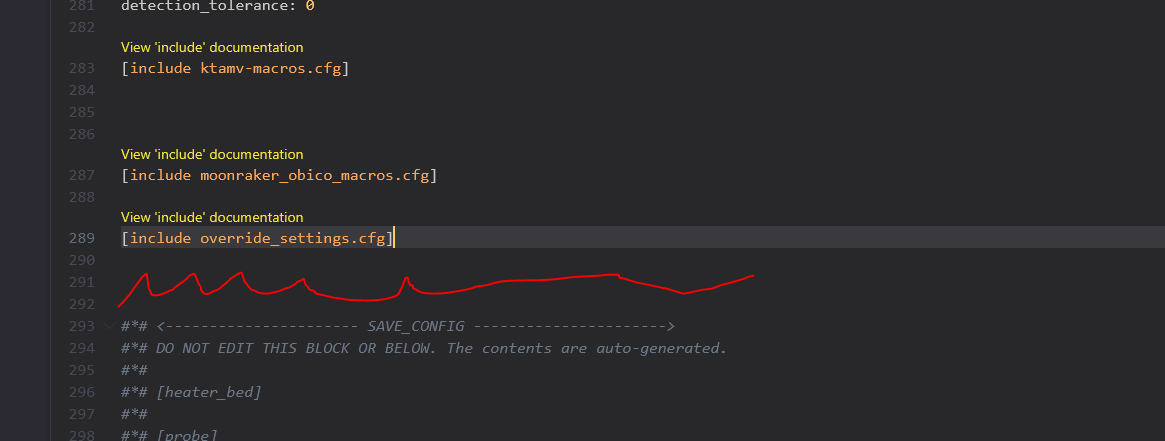
I've included the override settings here - drop them into your configuration folder via Fluidd (web browser)
Things you'll want to comment out (put a # in front of the line)
In stepper_z:
Comment out endstop_position (since there's no longer using an endstop)
In Stepper_z1:
Comment out endstop pin & endstop position if populated.
Comment out / delete the entire [probe] section.
Toolhead:
Use the LGX Pro Settings for rotation distance (already done below)
These settings are off of our Giga here.
These settings are found in mcu_thr1.cfg and just replace all of the sections.
[extruder]
step_pin:mcu1:gpio5
dir_pin:mcu1:gpio4
enable_pin:!mcu1:gpio10
microsteps:16
rotation_distance: 7.805
gear_ratio: 1:1
full_steps_per_rotation: 200    #200 for 1.8 degree, 400 for 0.9 degree
nozzle_diameter: 1.000
filament_diameter: 1.750
min_temp: 0
max_temp: 330
heater_pin:mcu1:gpio0
sensor_type:PT1000
sensor_pin: mcu1:gpio26
max_power: 1
pressure_advance: 0.032
pressure_advance_smooth_time: 0.02
max_extrude_cross_section:500
instantaneous_corner_velocity: 2.5
max_extrude_only_distance: 300
max_extrude_only_velocity:60
max_extrude_only_accel:2000
step_pulse_duration:0.000002
min_extrude_temp:0
#This section is because the chube reports temperatures quickly and standard, non-MPC klipper will error it out.

[verify_heater extruder]
max_error: 1200
check_gain_time:10
hysteresis: 30
heating_gain: 0.001

[tmc2209 extruder]
uart_pin: mcu1:gpio6
interpolate: true
run_current: 0.55
hold_current: 0.2
sense_resistor: 0.110
stealthchop_threshold: 0
Make sure you calibrate your beacon!!
beacon_calibrate
beacon_auto_calibrate
PID CALIBRATE IT!
https://www.klipper3d.org/Config_checks.html?h=pid#calibrate-pid-settings