Chube Conduction Assembly Instructions
Step 1:
You will need a T10 Torx driver, a Chube Shroud, a Conduction Heatsink, and 3 T10 torx screws.
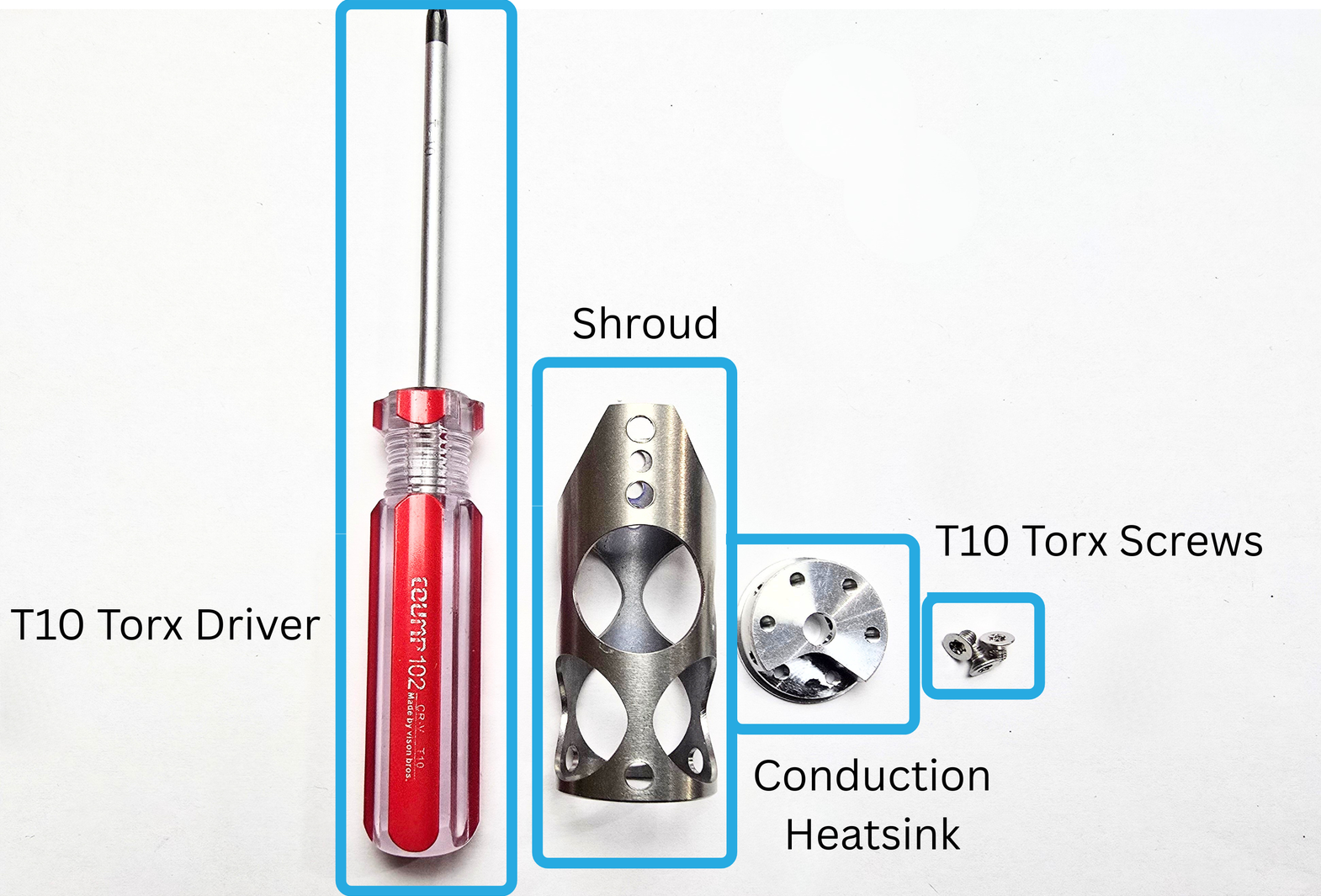
1a:
Take your Shroud and Heatsink, and center the holes. Press the heatsink into the shroud. Make sure the holes in the shroud and the heatsink are aligned nicely. It doesn't need to be perfect, because we use self-centering screws.
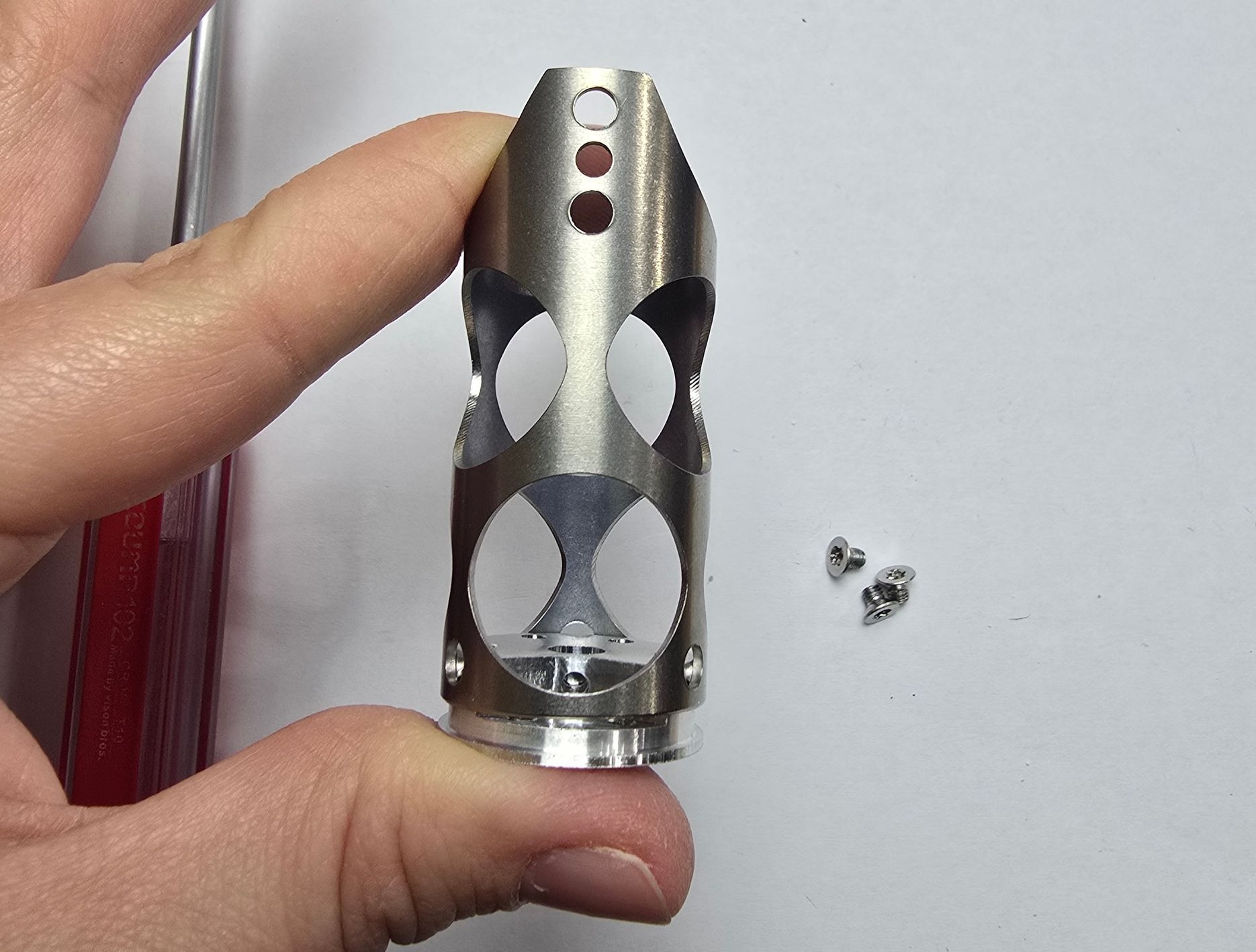
Make sure to align the heatsink, so that the cutout is facing the shroud hole shown above.
Once it is aligned, press it in.
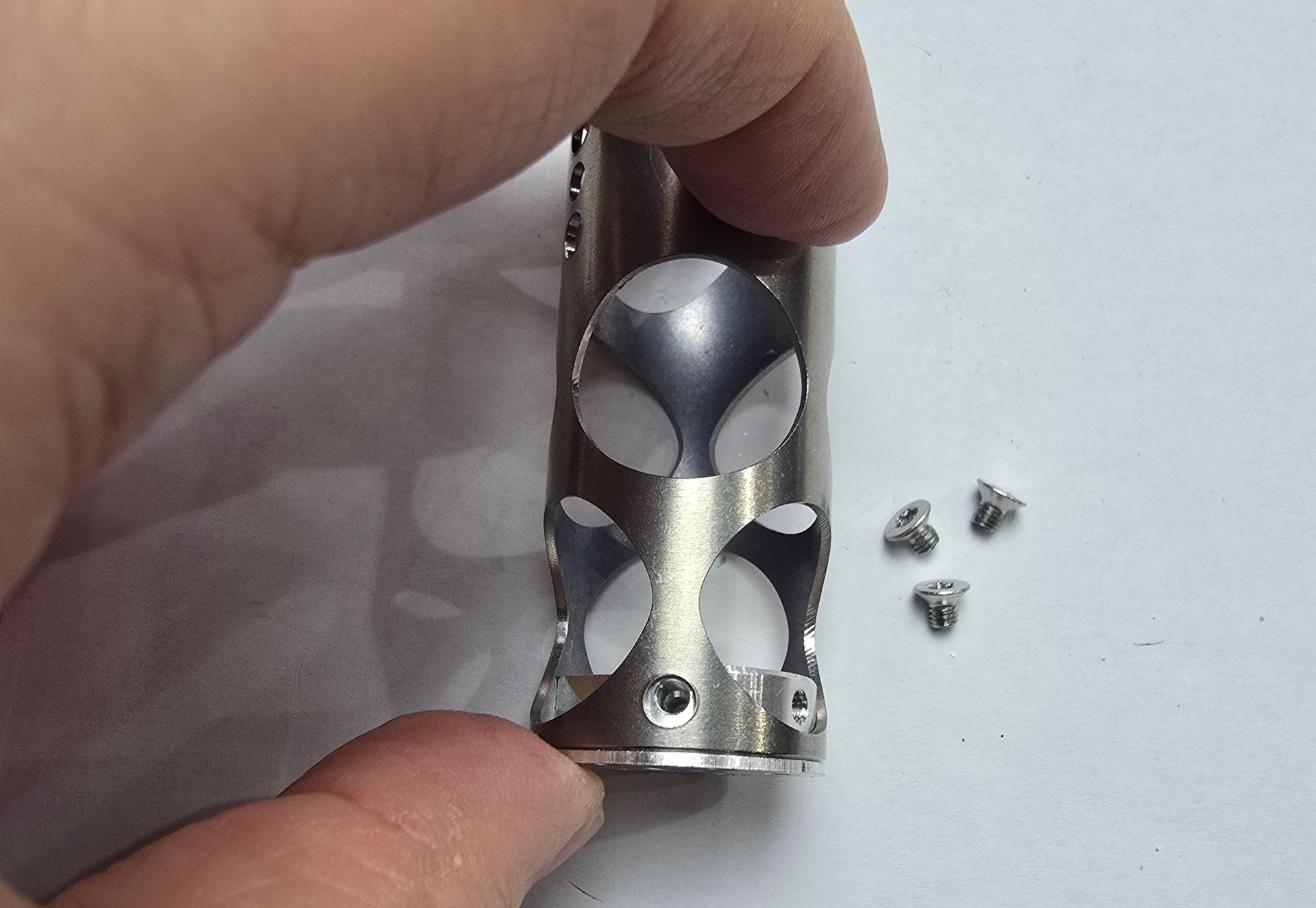
Step 1b:
Insert the 3 torx screws using your T10 torx driver. Make sure to fully tighten.
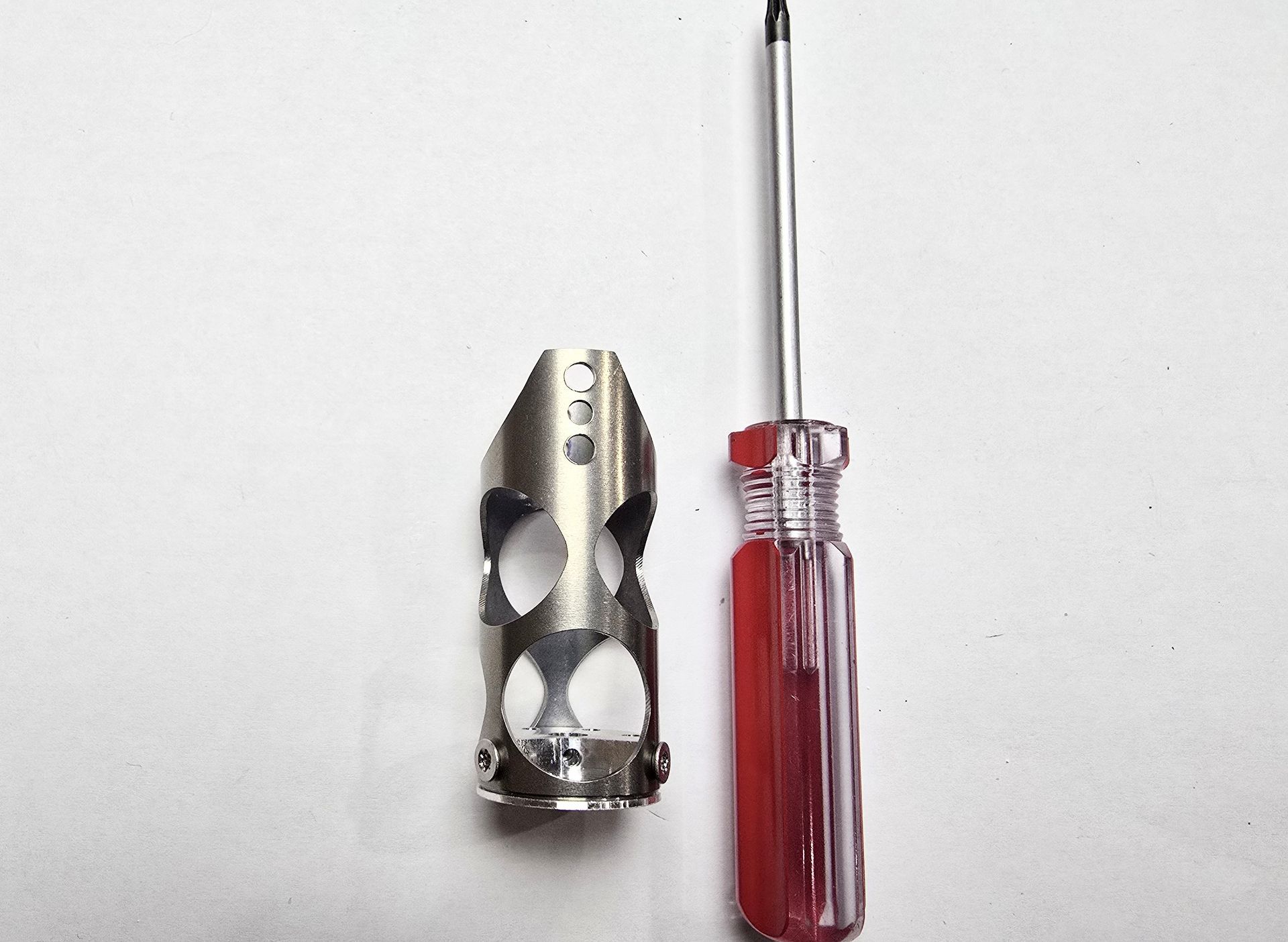
Step 2:
You will need your Torque Wrench, Chalice Heatbreak, a clamp, and the Chube Conduction Heatblock for this step.
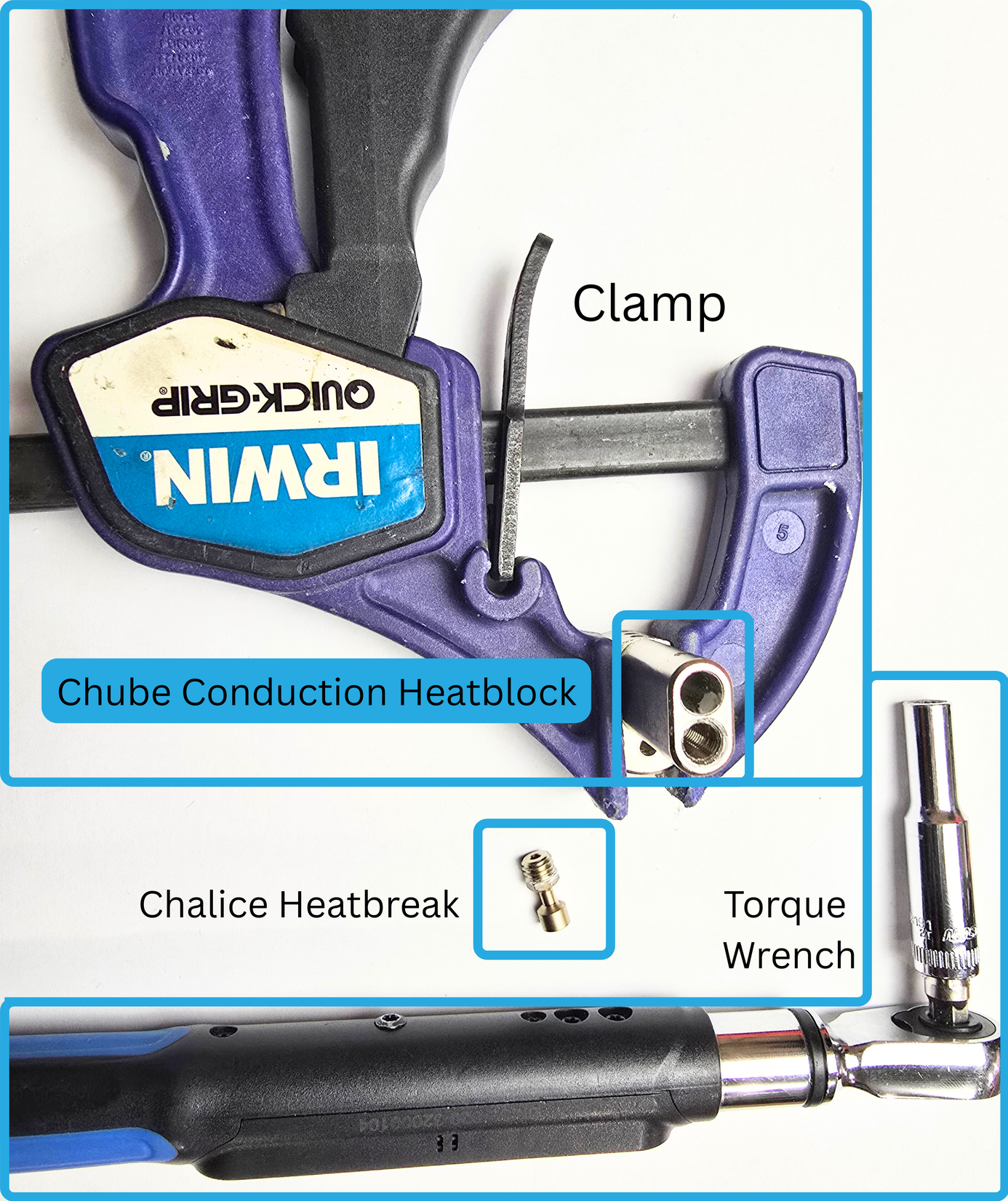
Step 2a:
Take your Chalice, and gently finger twist as far as you can into the heatblock. Make sure to install in the location below:
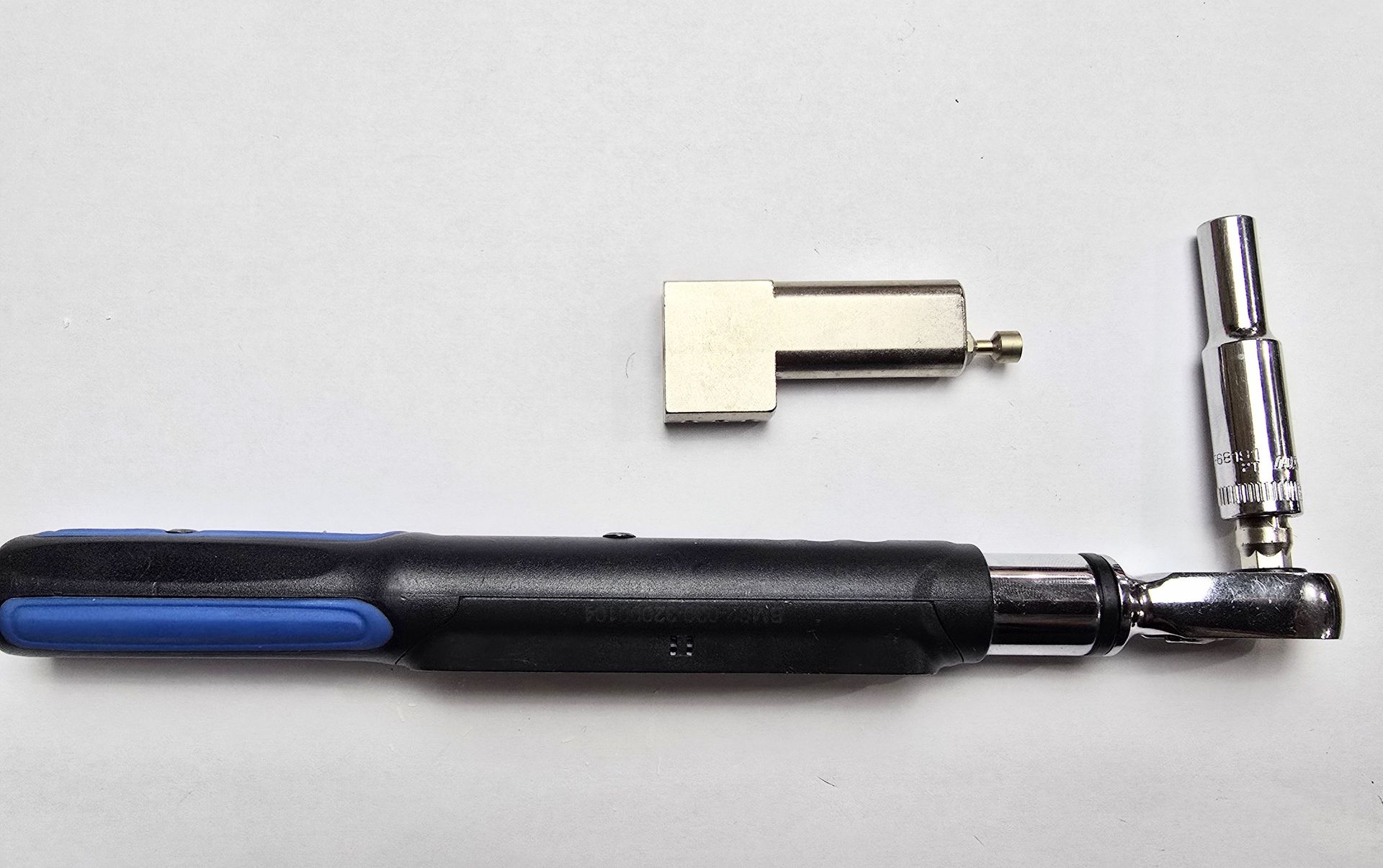
Step 2b:
Take your clamp, and use it to hold the heatblock tight, the flat end of the block should be on a flat surface, such as a table.
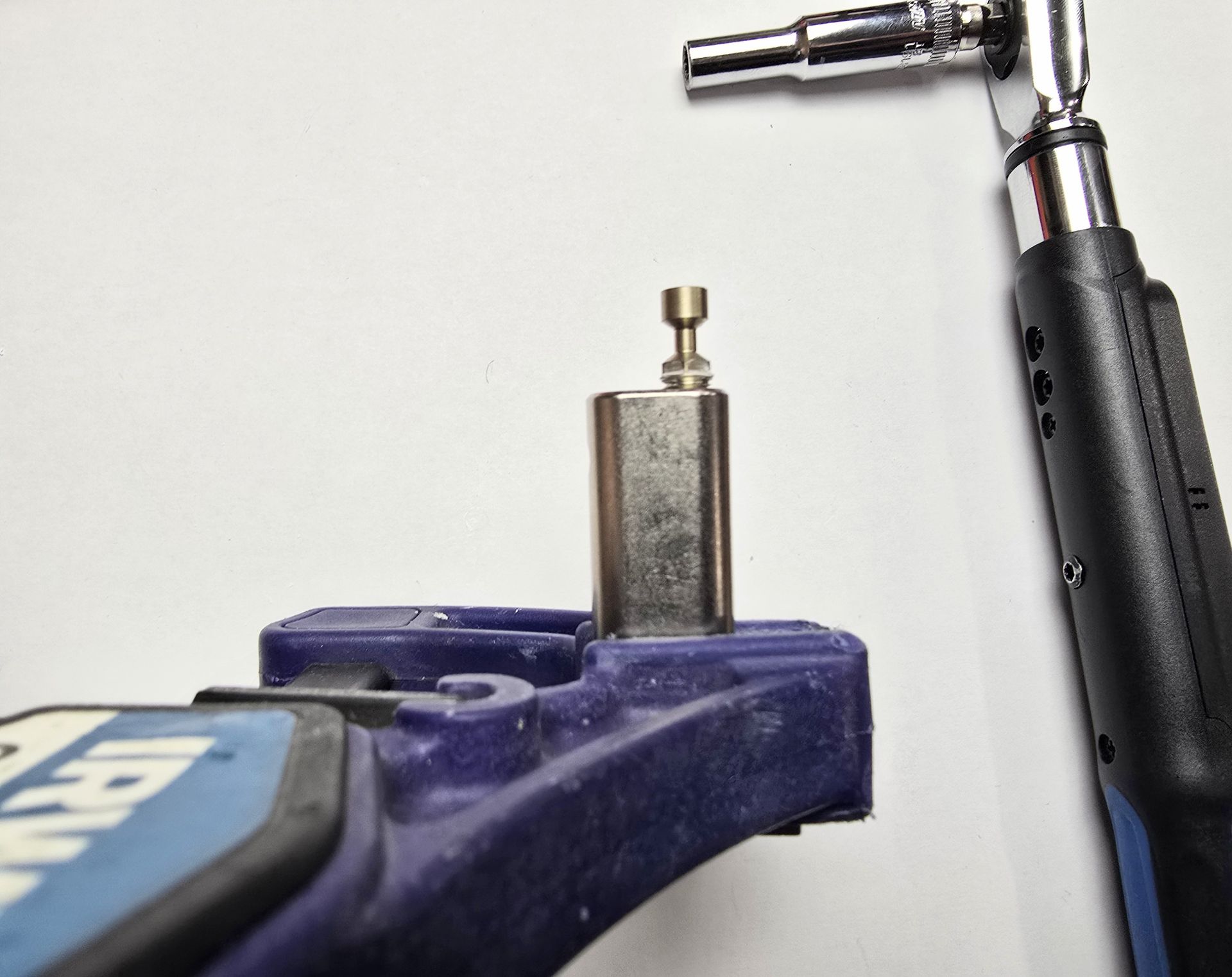
If you were unable to completely screw your heatbreak in with your fingers, the torque wrench can help get the job done now!
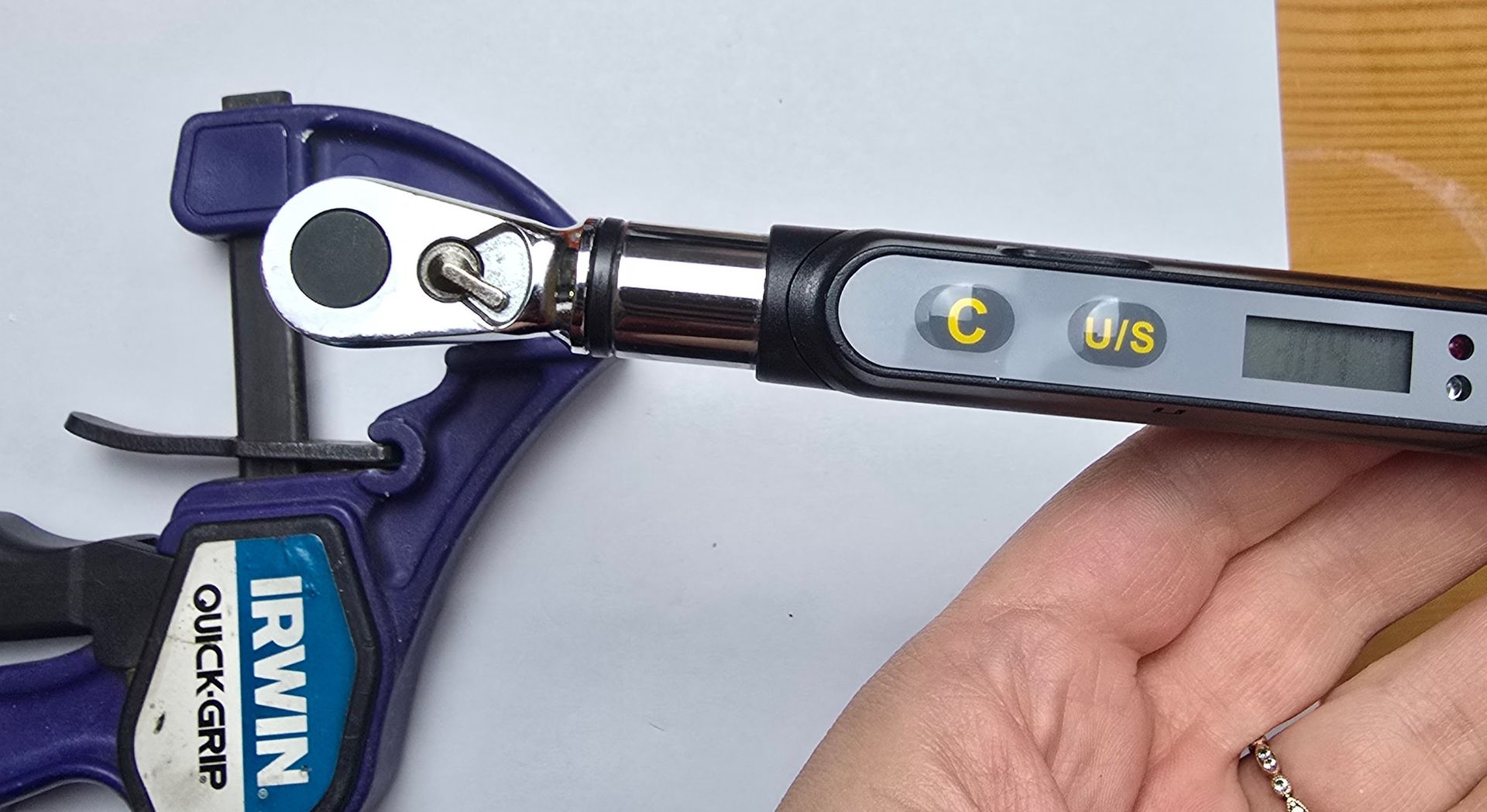
Use the torque wrench to install your heatbreak now. Tighten it to 3Nm (Newton Meters).
Step 3:
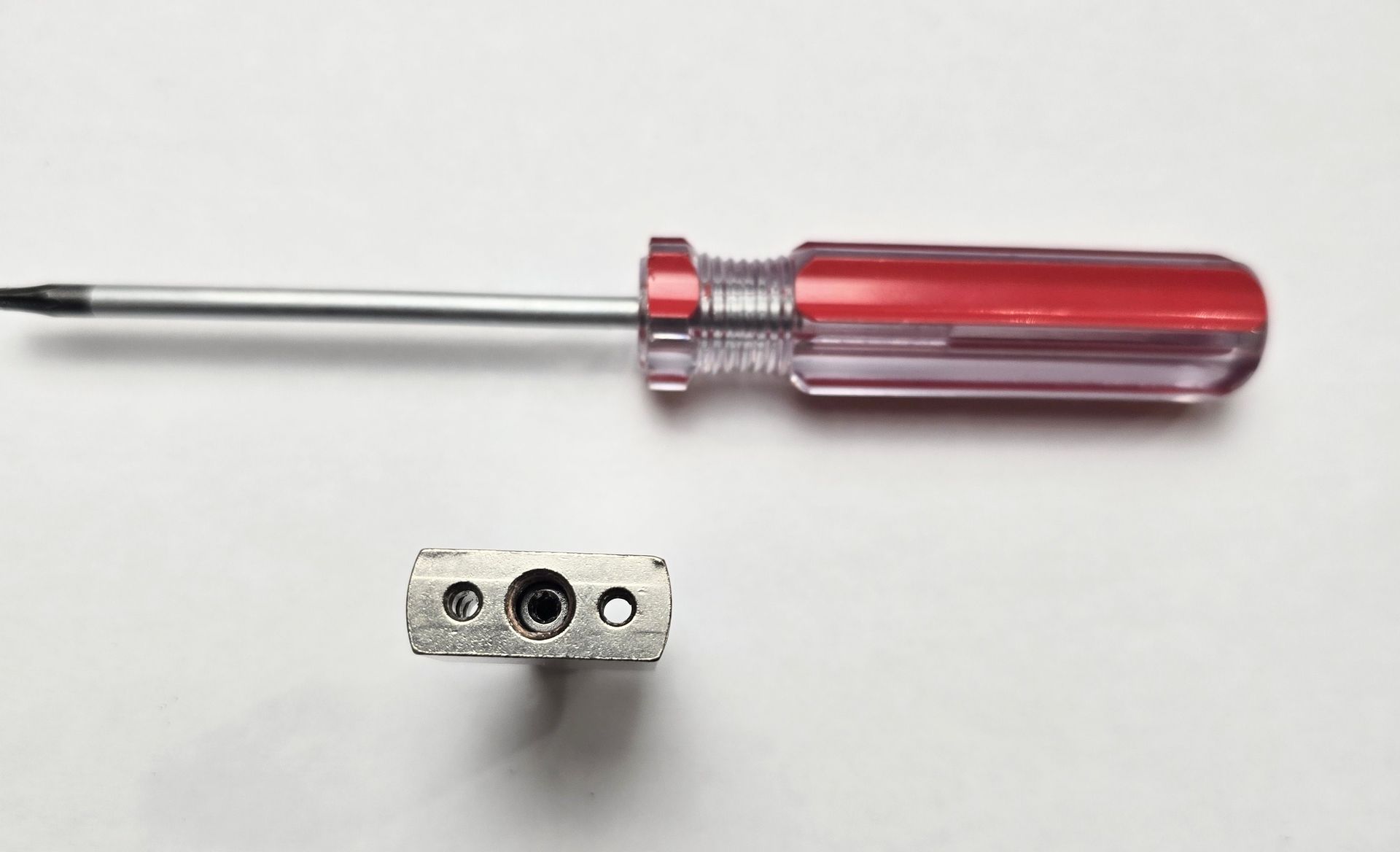
Insert your meltzone adapter into the heatblock. The torx end should enter through the nozzle side of the block. Turn it all the way down until you cannot tighten anymore.
Step 4:
Use Thermal Grease (not Boron Nitride) to apply a thin layer on the outside portion of the Chalice's cup.
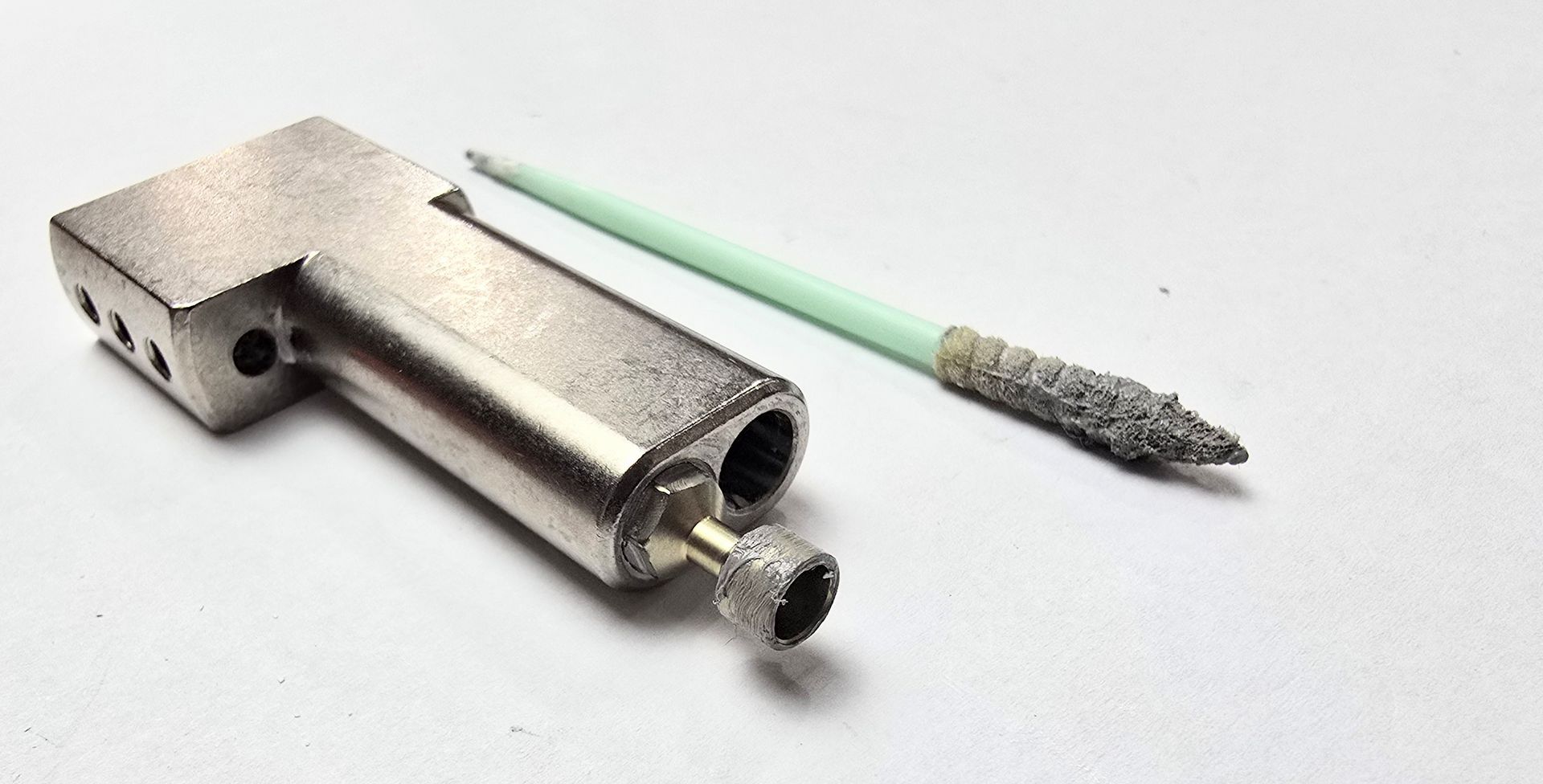
It should be a thin layer, and none should enter the inside of the cup. That could cause clogs down the line.
Step 5:
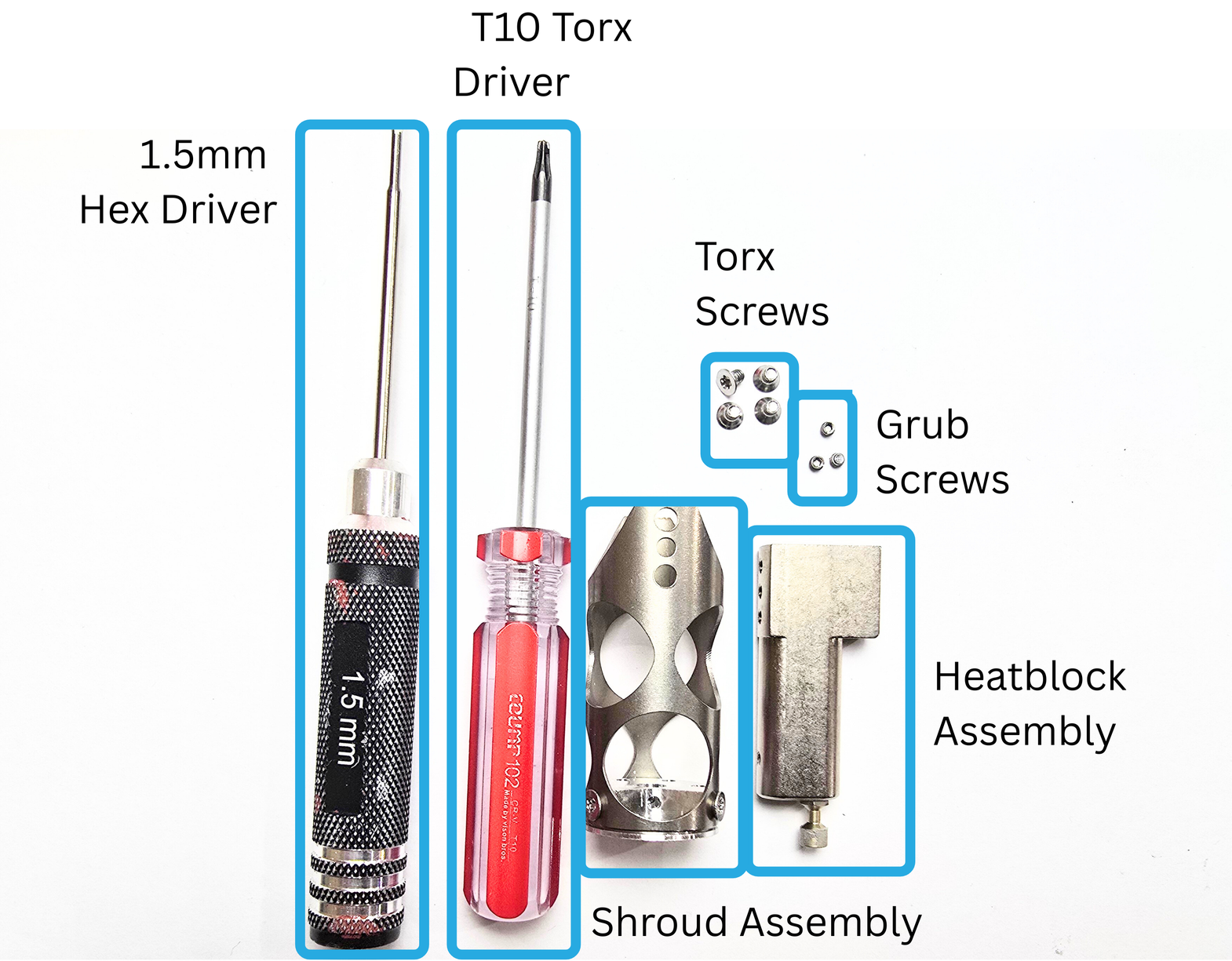
For this next step, you will need:
- Conduction heatblock assembly
- Conduction shroud assembly
- Four torx screws
- Three grub screws
- T10 torx driver
- 1.5mm hex driver
Step 5a:
Take your heatblock assembly and the shroud assembly.
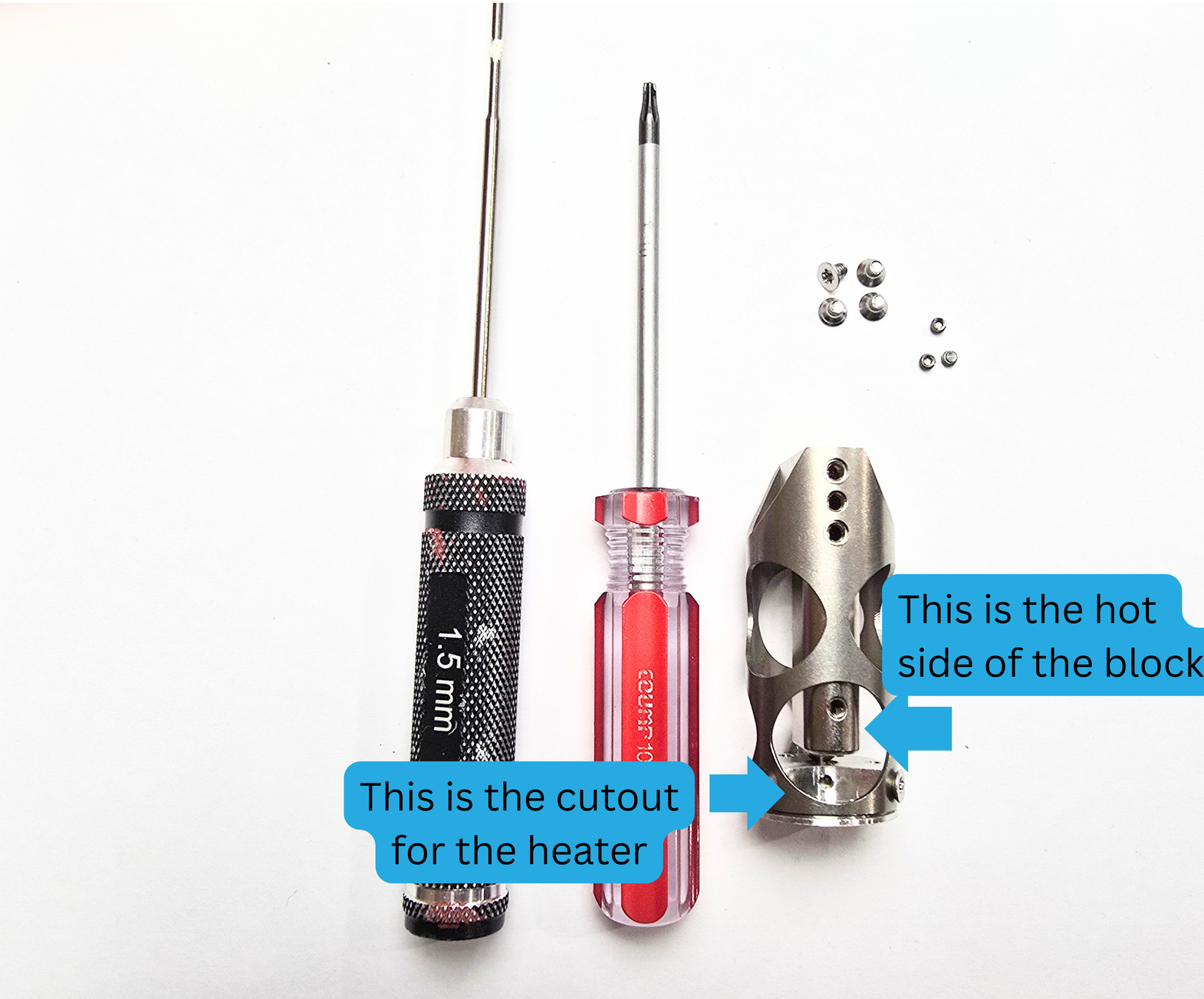
Insert the heatblock assembly into the shroud assembly, making sure that the hot side (where the heater will be inserted) is facing the cutout in the heatsink and shroud assembly.
If your heatblock gets stuck, it is because your Chalice Heatbreak is not aligning properly with the heatsink hole. You may need to adjust your angle and try again.
See below for an example:
Step 5b:
Next, use your T10 torx driver to install the 4 torx screws. You need to install them in the following holes:
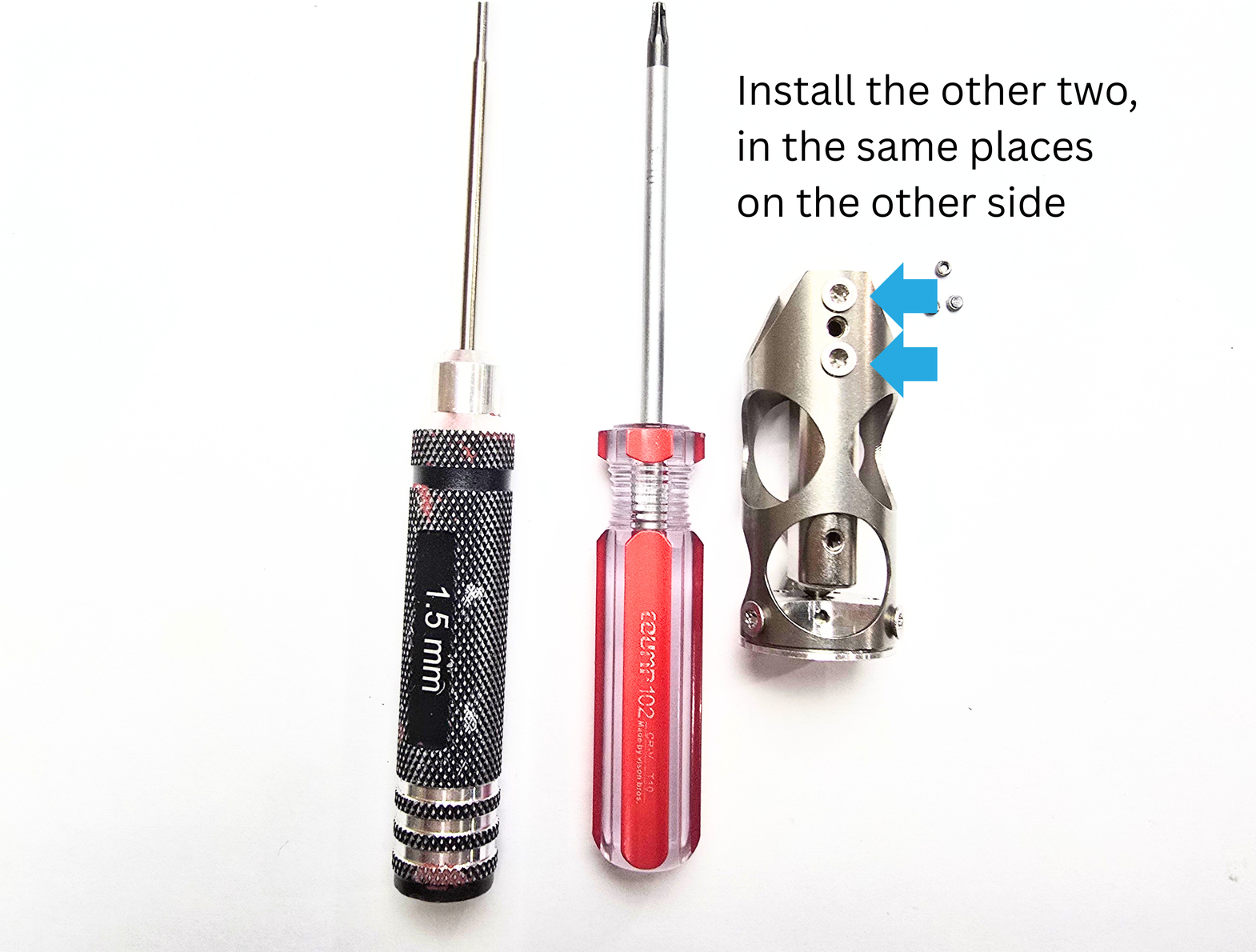
Step 5c:
Next, you will use your 1.5mm hex driver to install the 3 grub screws.
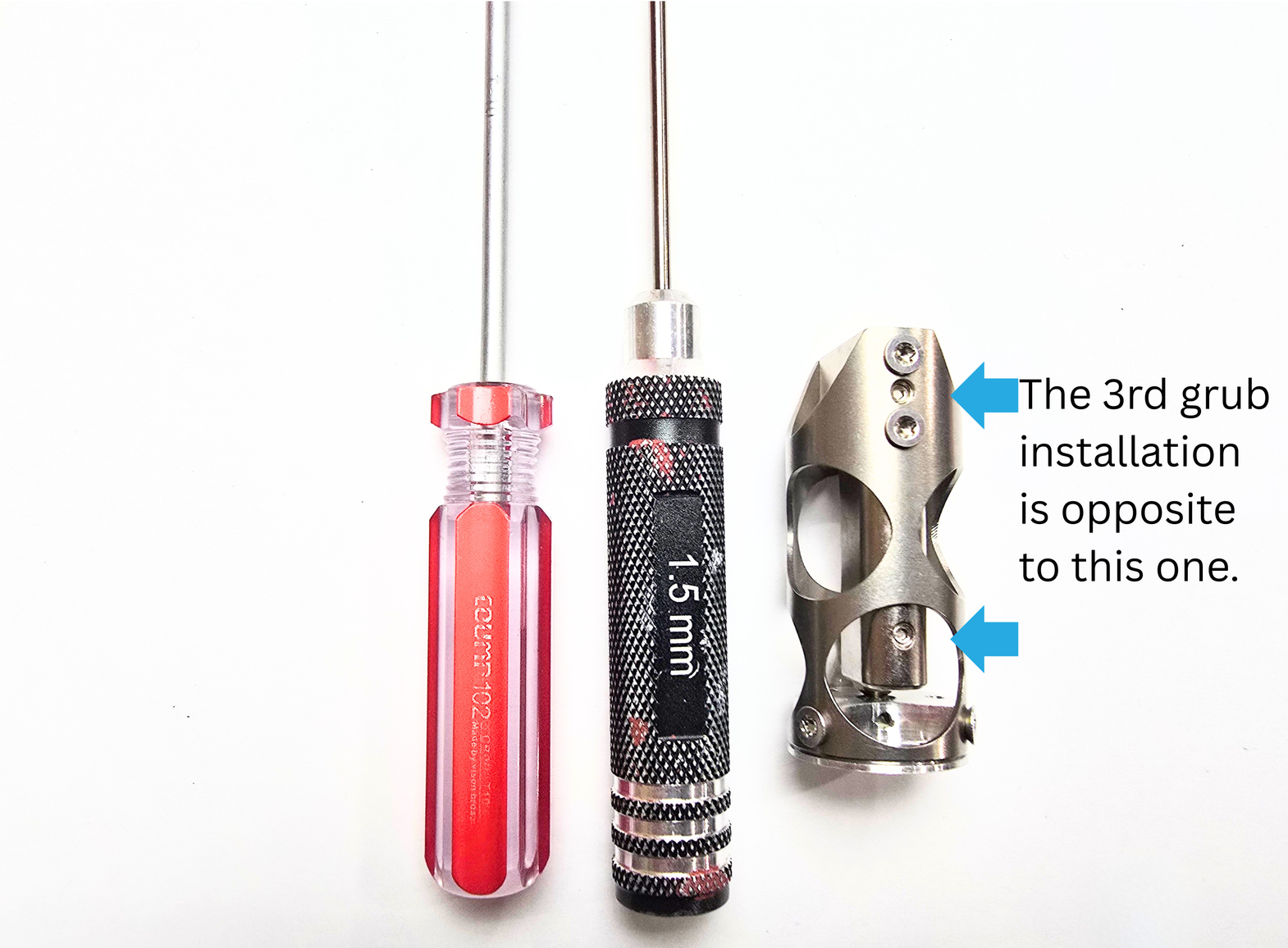
The grub screws should be installed only until they are lined up with the outside of the block. Inserting them too deeply may cause them to fall through/fall out before your heater and PT1000 are installed.
Step 6:
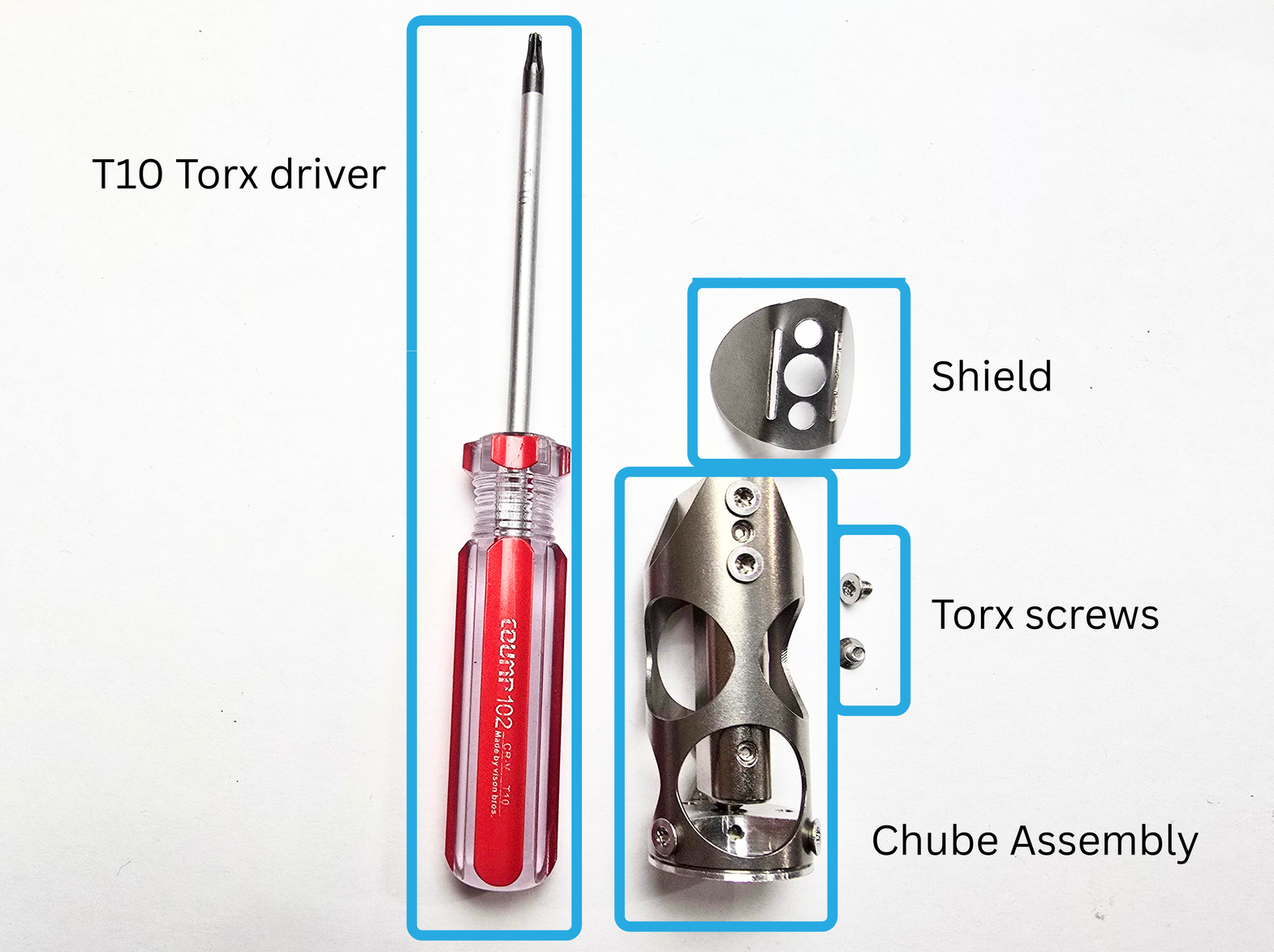
For this step, you will need the following:
- Chube Conduction Assembly
- Shield
- 2 torx screws
- T10 Torx Driver
Step 6a:
Take your torx screws, and use them to install the shield on the top of the Chube assembly. If there is a gap, like below, you need to tighten your screws down. There should not be a gap between the heatblock and the shield.
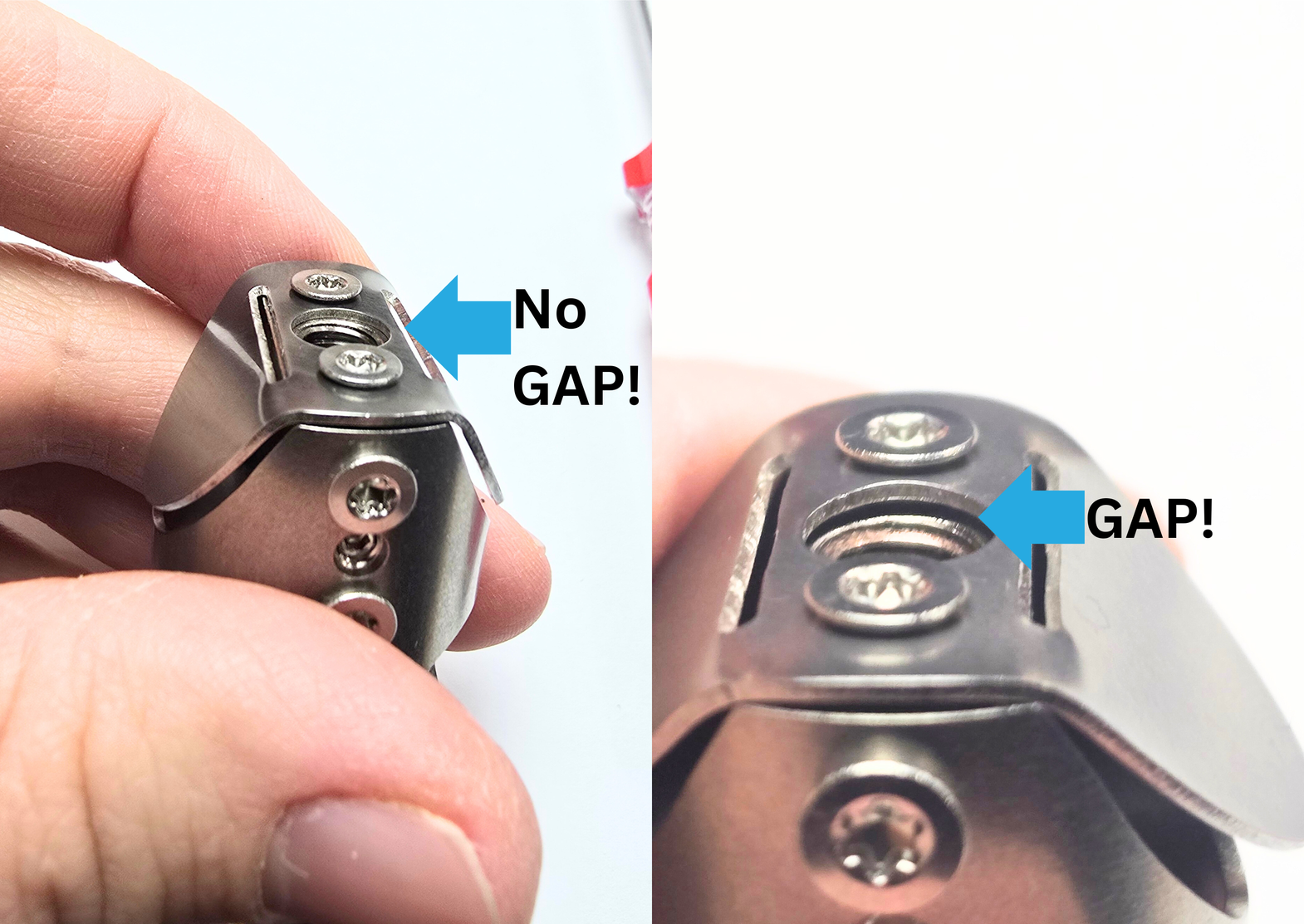
Step 4b:
As you can see, the sides of the shield are sticking out. The easiest way to flatten them, is by pressing them against a hard, flat surface, such as a table.
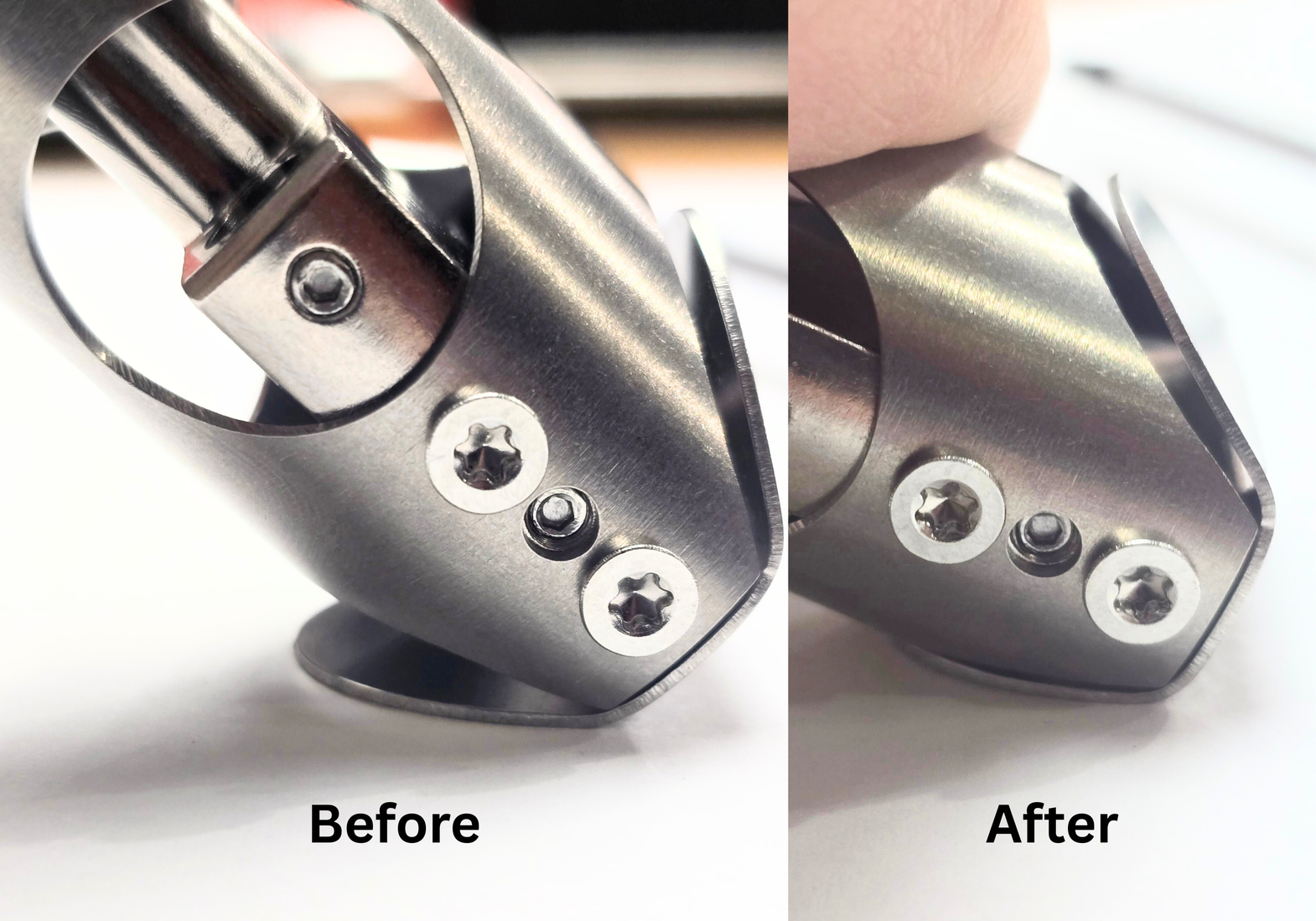
Make sure to do this on both sides.
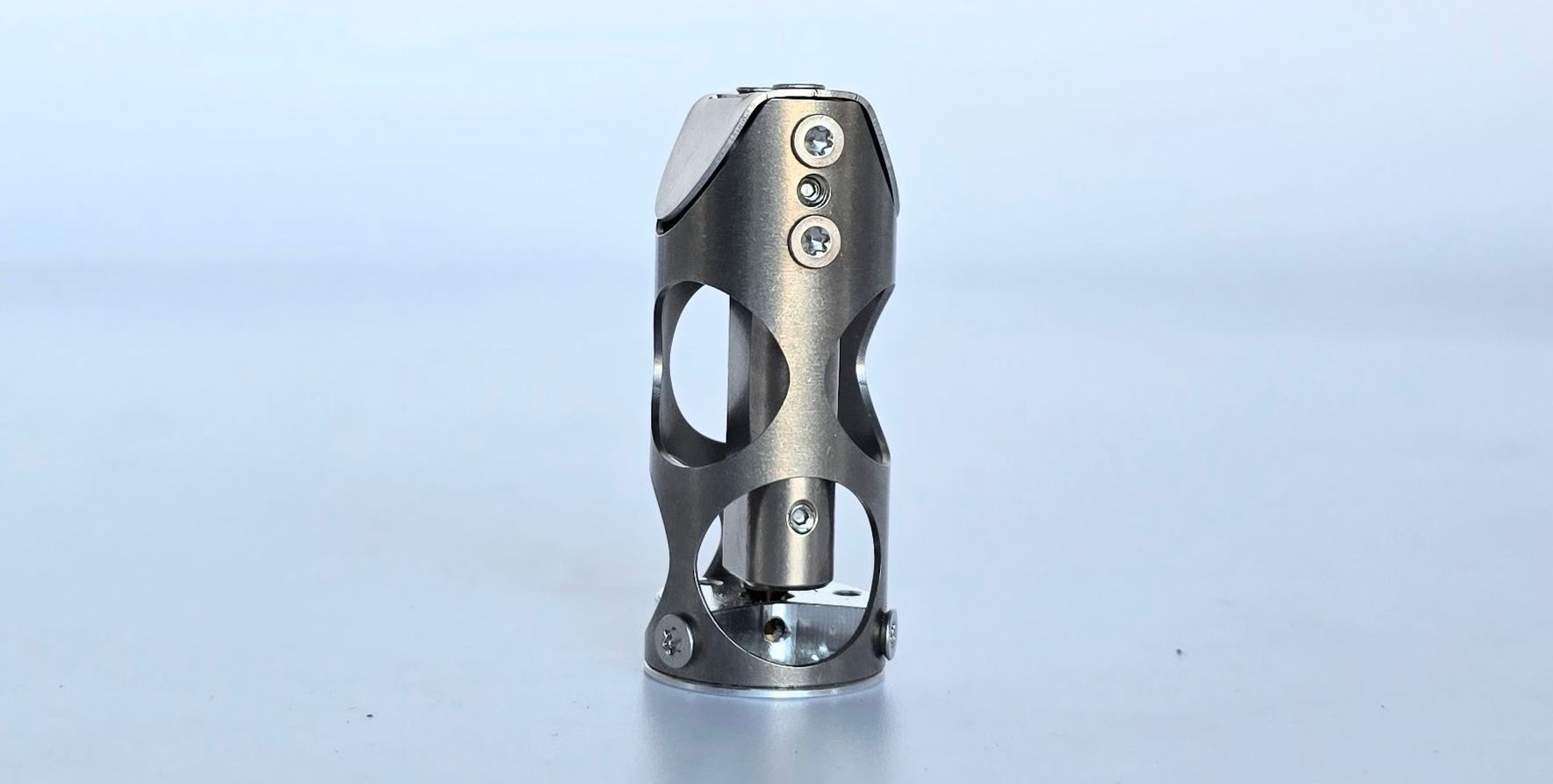
Your Chube Conduction Assembly is now complete!