Chube Troubleshooting Guide
Section 1: Chalice Heatbreak Clogs
Most Chube Heatbreak clogs are caused by improper PTFE seating.
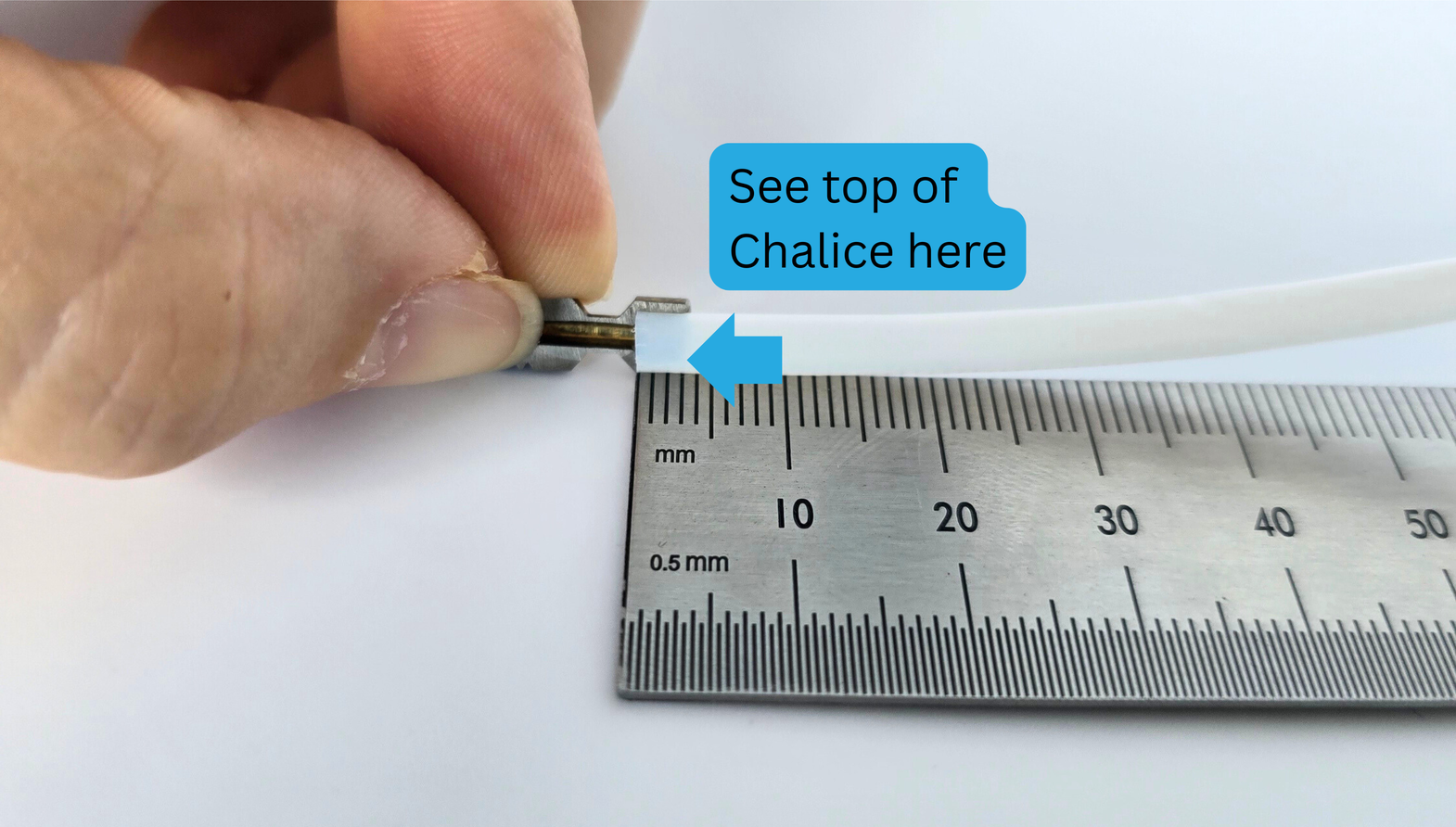
If the PTFE is not compressed all the way into the cup portion of the Chalice, a clog is likely to occur.
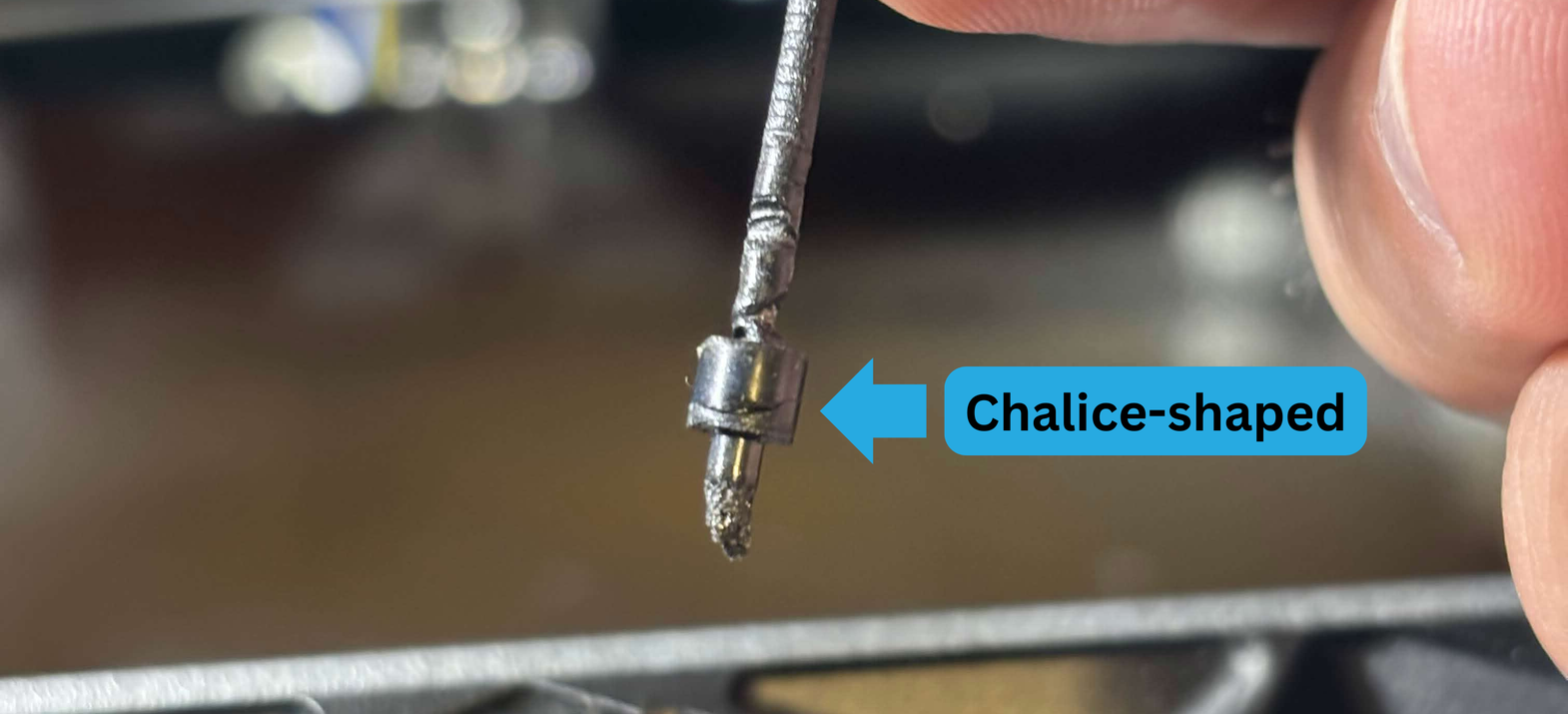
If your clog looks anything like this, it should be very easy to remove from your heatbreak with a set of tweezers, or similar tool.
The shape is caused by filament melting inside of the cup, and filling all of the space that PTFE should be.
If that happens, you will need to reseat your PTFE using compression.
The Chalice Heatbreak is relatively deep. See here for an example:
Chalice Heatbreak Leaks:
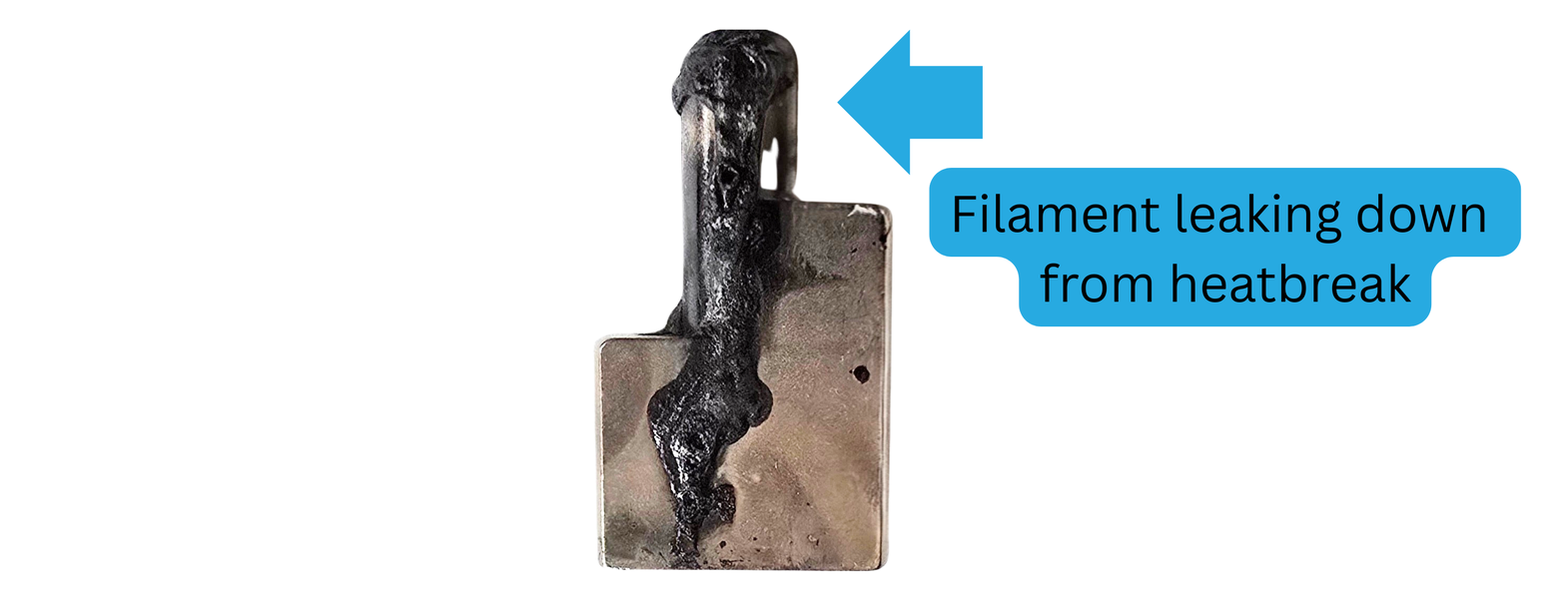
If your heatbreak seems to be leaking at the threads, it likely was not installed with enough torque. You will need to remove your heatbreak, back out the meltzone adapter (MZA) a bit, then reinstall the heatbreak. Tighten it to 3Nm. Then hot-tighten your MZA
Section 2: Meltzone Adapters
How do I remove it?
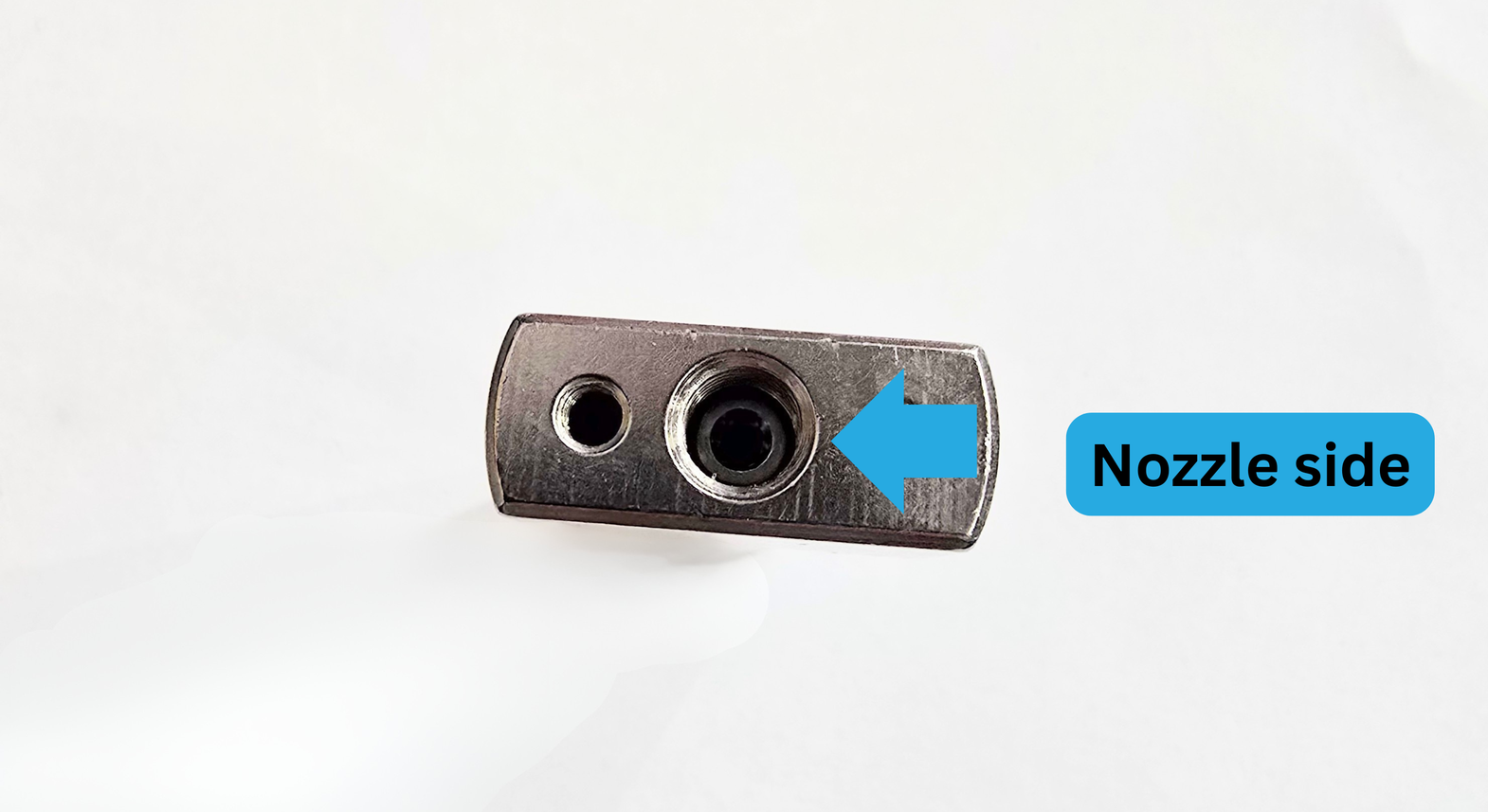
There is a torx hole on one end of the meltzone adapter. You are able to remove the adapter through either end of the heatblock, if you disassemble the rest of the hotend.
It is preferable to remove from the torx side, which is on the nozzle-end of the Chube.
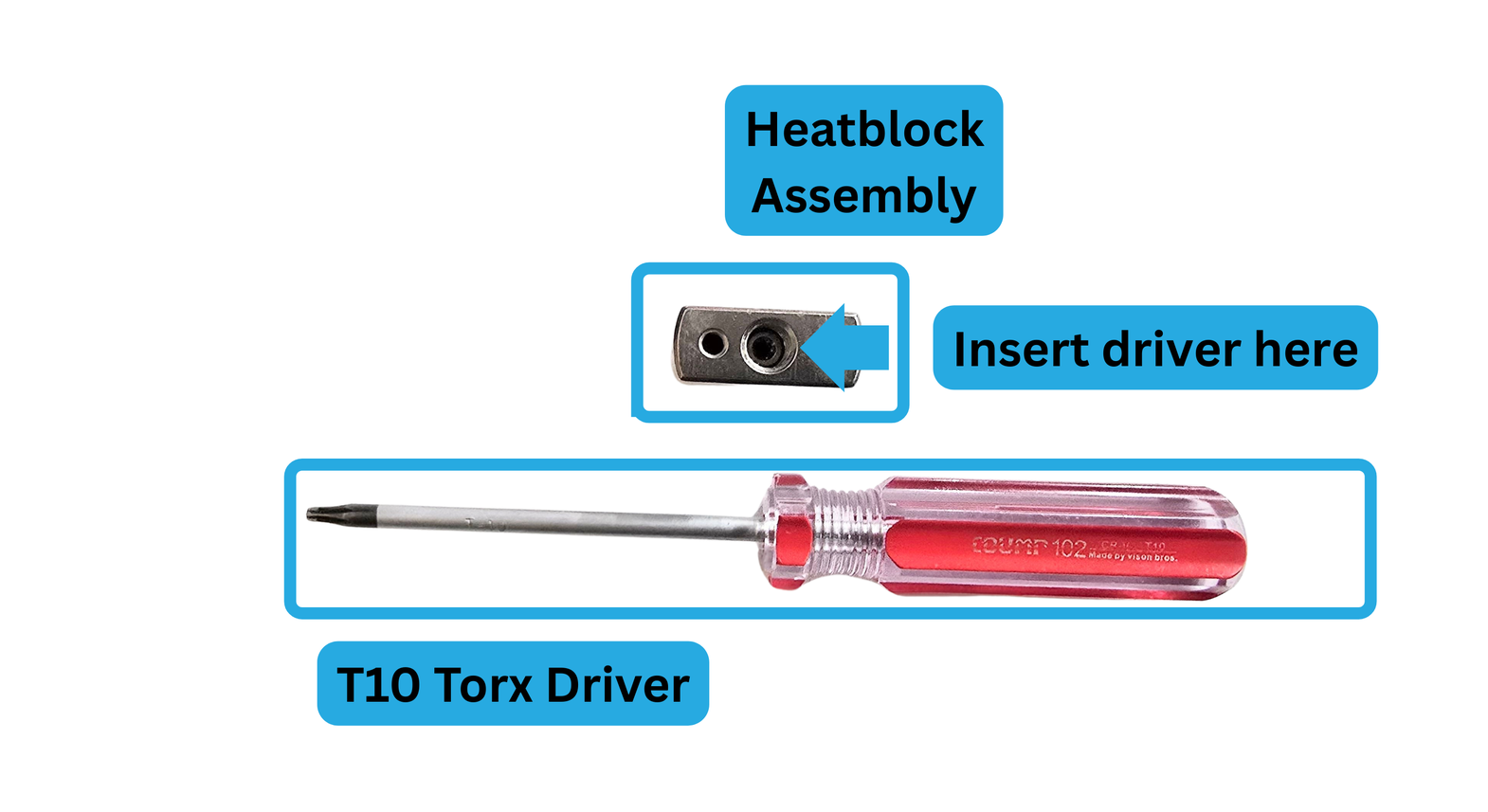
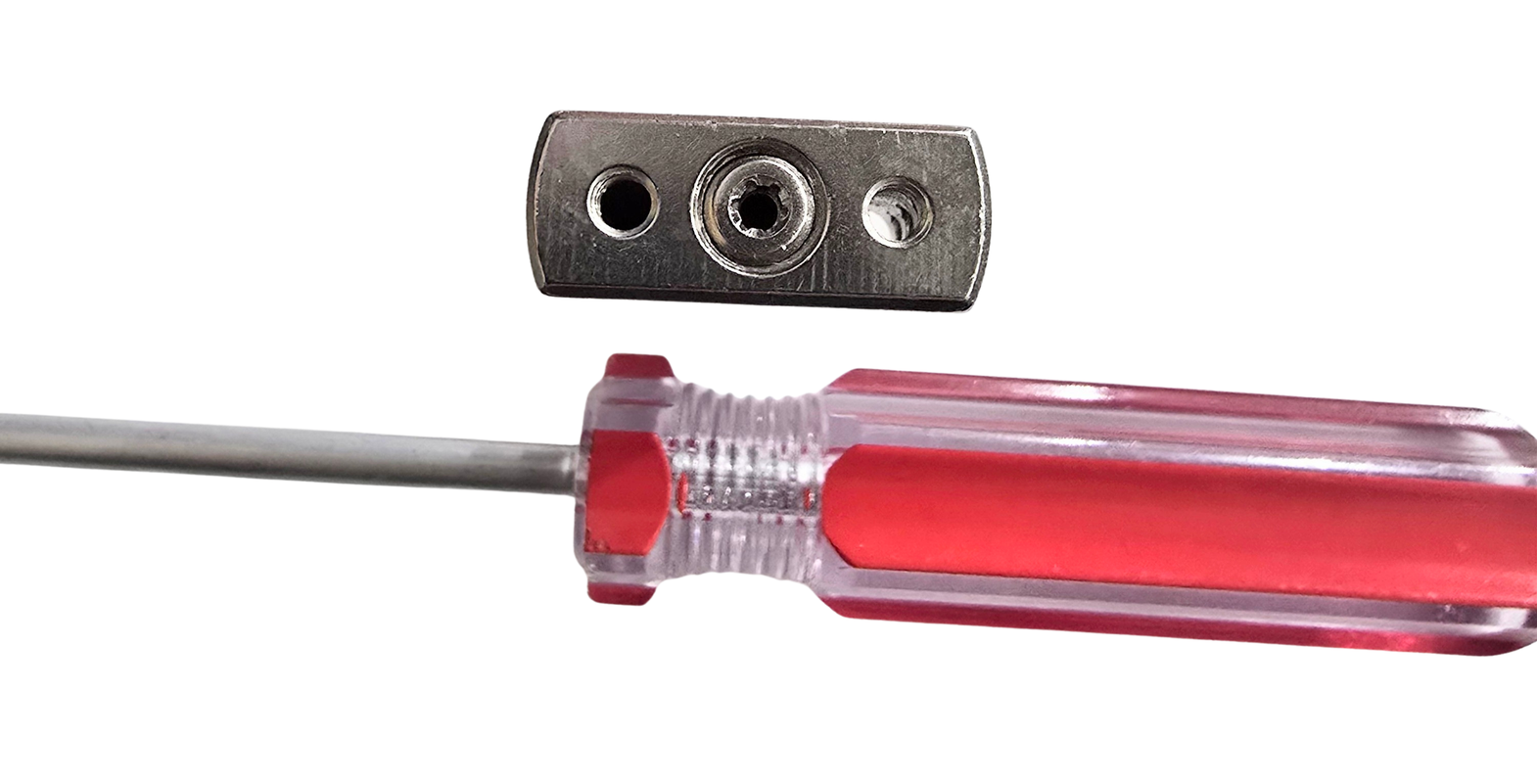
If you have used your hotend, and would like to swap meltzone adapters, you should heat your hotend for MZA removal, like you would for a nozzle.
It is not necessary to heat to install in a brand-new Chube as well, though hot-tightening does ensure a better seal. If the Chube was used, always install while heated, same thing as a nozzle.
Do I need to use Boron Nitride Paste on my Meltzone Adapter?
If you’d like to, you can. But it is not necessary. We do not BN paste our personally used Chube meltzones, nor the retail units. Any increase in performance is, in our opinion, negligible for most users.